Settings > Companies > Companies
Do you need multiple companies?
- Questions:
- Do you have more than one legal entity?
- Do your legal entities have separate financial reporting?
- If the answer to either question is "no" then just use one company. If both answers are "yes" then you probably need multiple companies.
Company Setup
- Order numbers
- Prefix for order numbers
- Prefix on order number. This cannot be left blank.
- Order number format: sequential or by date (reset daily)
- Request choice to Support or your implementation specialist.
- Prefix for order numbers
- Support Phone number – Shows for orders on hold on customer tracking page
- Address – Appears on invoice
- Short Name - Shows in the account and order list
- Company Defaults
- This is used when a new account is created but they can be modified.
Settings > Companies > Branding
Logo and color will be used on the customer tracking page and can be used in reports.
Color is used on the tracking button and the delivery process.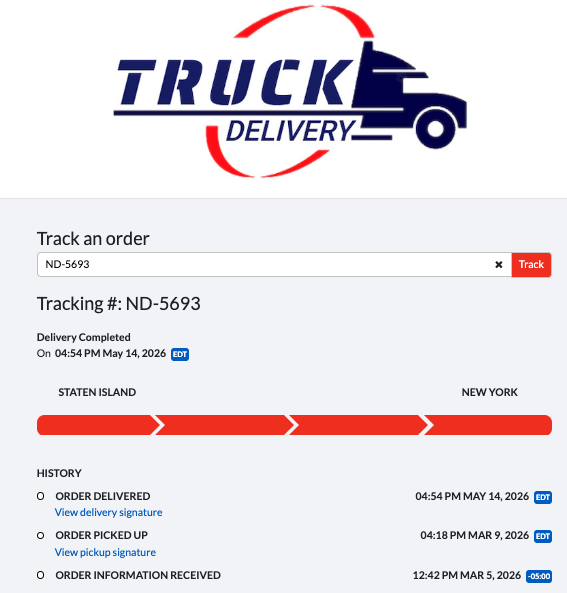
- No branding
Will use the Dispatch Science logo. - Selecting All Companies and All Accounts.
Will be used on all companies and accounts that do not have a specific branding. - Selecting a Company and All Accounts.
All accounts within the company the branding. - Selecting a Company and a specific branding
Branding will be used for the specific company.
Settings – Companies – Links
Add links to help articles, websites, etc.
- For use by self-serve only (not visible to internal users)
- Can be set to be page-specific (orders, contacts, etc.)
- Can show in top right corner of that page or on the left hand side menu
- Like branding, can be setup for all companies and all accounts, one company and all account, account specific.
- Linkset examples:
- A link to contact them if they need support
- A link to your website
- A link to a help article
Was this article helpful?
That’s Great!
Thank you for your feedback
Sorry! We couldn't be helpful
Thank you for your feedback
Feedback sent
We appreciate your effort and will try to fix the article